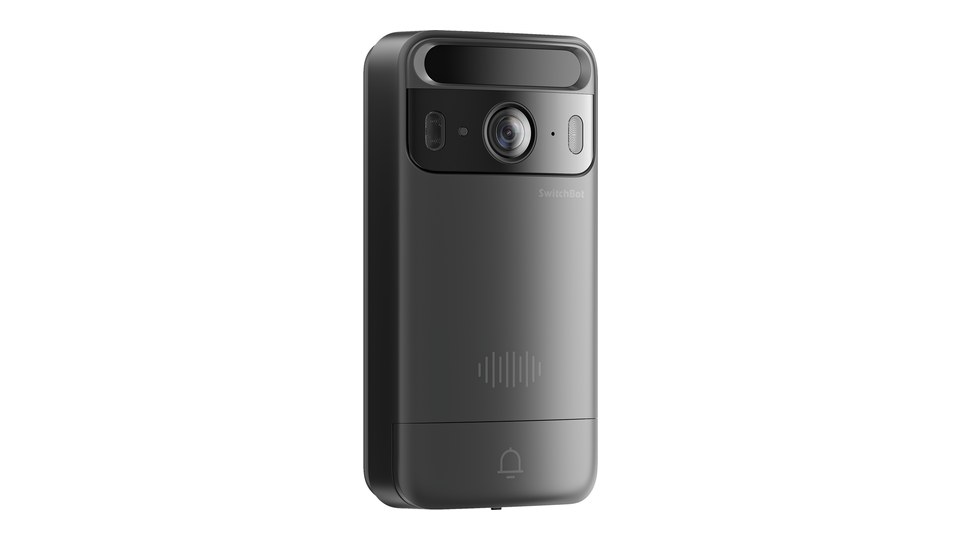
SwitchBot has a new doorbell with 3D face recognition. The Vision Doorbell combines a video doorbell and face recognition in one device. Paired with a SwitchBot smart lock, it unlocks the door as soon as it recognises your face. SwitchBot officially presented the doorbell in Japan on 17 November, and sales there start on 18 November.
It is already available to order in Europe too: SwitchBot’s EU store lists the Vision Doorbell as a pre-order, with an early-bird discount code at launch. Shipping is expected to start by the end of November. On Amazon Germany it is listed as well, but currently “temporarily out of stock”. SwitchBot has not published a European press release yet.

Last updated on 2026-11-17 / affiliate links / images from the Amazon Product Advertising API. Prices shown may have changed since then. All information without guarantee. * = affiliate link: if you order a product through such a link, we receive a commission from the seller. There are no extra costs for you.
What the Vision Doorbell does
The doorbell recognises faces in 3D, so photos and videos should not be enough to open the door. According to SwitchBot, biometric data is processed locally and encrypted with AES-128. For Japan, SwitchBot states up to 100 faces stored encrypted on the device. Face unlock does not need the cloud.
SwitchBot says infrared detection also works at night. Anyone who does not use face unlock can tap an NFC card. For guests, tradespeople or cleaners you create QR codes in the app that are valid for between one hour and seven days. Guests do not need the app. When the door is unlocked, the doorbell can take a photo, so you can see in the app who came home and when, without a cloud subscription.
As a video doorbell it records in 2K (3 megapixels) with a 165-degree diagonal field of view. At night you choose between colour video with a white light and black-and-white with 940 nm infrared. On your phone you can talk to visitors and unlock remotely if needed. According to SwitchBot this does not need a hub, only a Wi-Fi connection on the doorbell and a paired lock. The doorbell does not support SD cards or continuous recording.
Power comes from two 5,000 mAh batteries. The second one sits in an included battery pack: you plug it in and the doorbell charges without taking it off the wall. SwitchBot quotes up to seven months of battery life under standard conditions. For Japan, SwitchBot bases this on ten face unlocks, ten rings and ten locking events per day. It mounts with an adhesive pad or screws, so no doorbell wiring is needed. The housing is rated IP65 against dust and water jets. Wi-Fi has to be 2.4 GHz.
Only works with a SwitchBot lock
The Vision Doorbell is an accessory, not a standalone smart lock. It only opens the door through a SwitchBot lock, which is not included. According to SwitchBot’s Amazon listing, it works with any SwitchBot lock, regardless of model. In its EU store, SwitchBot shows it together with the Lock Ultra Max, also as a set of Lock Ultra Max, Vision Doorbell and Hub Mini Matter.
SwitchBot only mentions Matter for the lock: through the Hub Mini Matter, the Lock Ultra Max works with Apple Home, Google Home or Alexa. SwitchBot does not list Matter support for the doorbell itself.
What is new compared with the Video Doorbell and Keypad Vision
Until now SwitchBot needed two devices: the Video Doorbell for video and two-way talk, and the Keypad Vision for face recognition. The Vision Doorbell does both. SwitchBot shows this itself in an overview: the Lock Ultra and Video Doorbell set can see, talk and unlock, but it cannot recognise faces.
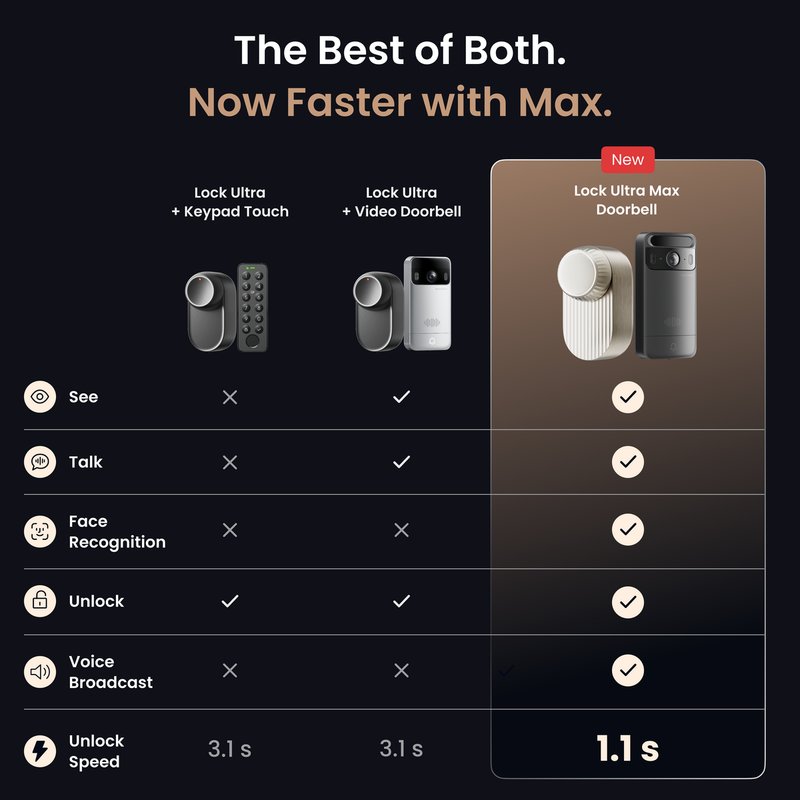
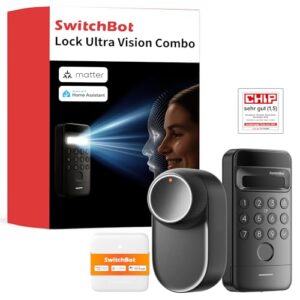
You can find the Lock Ultra with Keypad Vision in our product overview. The Keypad Vision can also read fingerprints, and the Keypad Vision Pro can scan palm veins too. SwitchBot does not mention either for the Vision Doorbell.
Specifications
| Model | SwitchBot Vision Doorbell |
|---|---|
| Unlocking | 3D face recognition, NFC card, QR codes (1 hour to 7 days), app (SwitchBot lock required) |
| Faces | up to 100, stored locally and encrypted (Japanese spec) |
| Camera | 2K (3 MP), 165° diagonal, colour night vision with white light or 940 nm infrared |
| Storage | no SD card, no continuous recording |
| Motion detection | radar, up to 5 m, 120° (Japanese spec) |
| Wireless | Wi-Fi 2.4 GHz, Bluetooth LE 5.0 |
| Power | 2 batteries of 5,000 mAh each (one as a pack for charging in place), up to 7 months |
| Protection | IP65 |
| Operating temperature | −20 to 45 °C |
| Size, weight | 131 × 65 × 30 mm, 202 g |
| Availability | pre-order in SwitchBot’s EU store, shipping expected by the end of November |
Subscription optional
Face unlock runs locally and does not need a subscription. With a paid AI subscription, the doorbell also recognises faces, vehicles, pets and packages in recordings and offers video search. Video playback also requires a cloud service. SwitchBot does not state the price of the subscription for Europe on the doorbell’s listing.
At the same event in Tokyo, SwitchBot also showed the new Hub 4 with voice control.