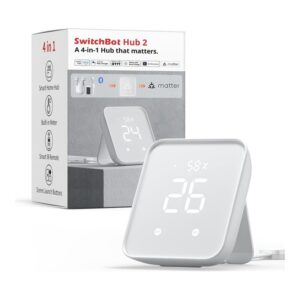
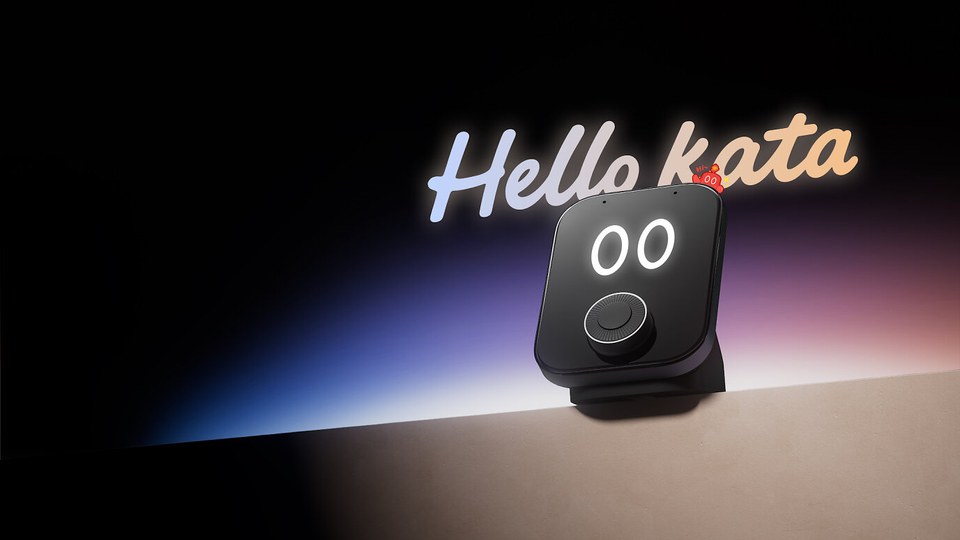
SwitchBot has introduced the Hub 4. For the first time, the new hub has its own voice control: “Hello Kata” switches devices and starts scenes from the SwitchBot app. It also has a 2.8-inch colour display, a physical dial, infrared for more than 101,000 device models and a Matter bridge for Apple Home and other platforms.
According to SwitchBot, the Hub 4 goes on sale in Europe, the UK, the US and Canada from 16 November 2026. Amazon lists it but shows it as temporarily out of stock, and the SwitchBot EU store takes pre-orders, with shipping expected by the end of November.

Last updated on 2026-11-16 / affiliate links / images from the Amazon Product Advertising API. Prices shown may have changed since then. All information without guarantee. * = affiliate link: if you order a product through such a link, we receive a commission from the seller. There are no extra costs for you.
Hello Kata: voice commands right on the hub
With “Hello Kata” you tell the hub what to do. SwitchBot’s example is “Hello Kata, turn on the air conditioner”. A single request can also control several devices at once.
Kata also runs scenes you have already set up in the SwitchBot app, such as “Movie night”, “Home” or “Away”. Automations, however, are still created and managed only in the app.
Two omnidirectional microphones are designed to pick up voice commands from about three metres away. You can also activate Kata manually. Note: according to SwitchBot, local infrared control does not mean that Kata works offline. SwitchBot has not yet said which languages Kata understands.
Infrared, Matter and SwitchBot devices
The Hub 4 supports more than 101,000 infrared device models, including air conditioners, TVs, projectors and fans. Matching happens automatically. After setup, supported infrared commands work locally, even without an internet connection. Selected streaming devices such as Fire TV, Apple TV and Android TV are supported too.
Via Matter Bridge 1.3, the hub brings supported SwitchBot devices into Apple Home and other Matter platforms. It handles up to 30 Matter sub-devices. Three of these slots are taken by default by its own motion, temperature and humidity sensors. Depending on the device, compatible third-party Matter devices can also be controlled via “Wireless Remote” in the Home app.
The Hub 4 also controls SwitchBot devices such as curtain motors, lights, robot vacuums and sensors. According to the Amazon listing, it manages up to 120 Bluetooth sub-devices.
Display, buttons and dial
The 2.8-inch colour display shows feedback to voice commands and readings such as temperature and humidity. Compatible SwitchBot Meter devices add more data such as CO₂ levels. You can also check locks and sensors, for example battery level or operating mode.
Four customisable shortcut buttons on the display start frequently used scenes. The dial adjusts brightness, curtain position and volume on supported devices. That helps anyone in the household who does not want to talk to the hub.
Specifications
| Model | SwitchBot Hub 4 (W108021000) |
|---|---|
| Voice control | Hello Kata, 2 omnidirectional microphones, approx. 3 m range |
| Display | 2.8 inches, colour, 4 shortcut buttons |
| Controls | Dial (brightness, curtain position, volume) |
| Infrared | more than 101,000 device models, local after setup |
| Matter | Matter Bridge 1.3, up to 30 sub-devices (3 used by its own sensors) |
| Wireless | 2.4 GHz Wi-Fi, Bluetooth |
| Sensors | Temperature, humidity, motion |
| Mounting | Tabletop or wall mount |
| Power | USB-C, 5 V/2 A power adapter included |
Is it worth upgrading from the Hub 3?
The SwitchBot Hub 3 already had a dial, four scene buttons, infrared and a Matter bridge for up to 30 devices. What is new on the Hub 4 is mainly its own voice control, Kata. If you already control your SwitchBot devices with Alexa, Siri or Google, you do not necessarily need Kata. For Apple Home, Google Home and Alexa, the Matter bridge remains the key feature, because many SwitchBot devices do not support Matter themselves.
You can find the Hub 3 in our product overview.