Shelly firmware 2.2.1: fix for login and MQTT problems on the 1PM Mini
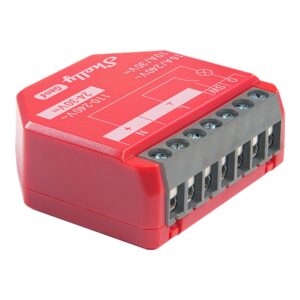
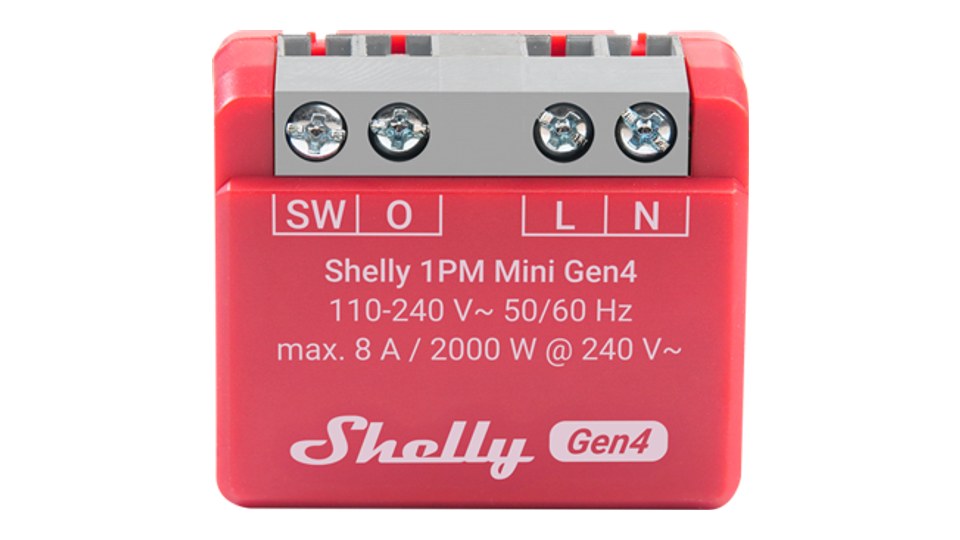
On 13 November Shelly released firmware 2.2.1 for its Gen2, Gen3 and Gen4 devices. Its main job is to undo a bug in version 2.2.0, which had come out only two days earlier: on the Shelly 1PM Mini Gen3 and 1PM Mini Gen4 the update renamed the device ID. After that, correct passwords were rejected and MQTT systems such as ioBroker could no longer find the devices.
If you are affected, install 2.2.1 soon. In two cases you will need to do some clean-up yourself afterwards, more on that below.

Last updated on 2026-11-15 / affiliate links / images from the Amazon Product Advertising API. Prices shown may have changed since then. All information without guarantee. * = affiliate link: if you order a product through such a link, we receive a commission from the seller. There are no extra costs for you.
What went wrong with 2.2.0
According to Shelly, both Mini models recalculated their device ID on first boot with 2.2.0. For example, “shelly1pmminig4-aabbccddeeff” became “shellymini1pmg4-aabbccddeeff”. The new name ended up in several places: the local device ID, the SSID of the Wi-Fi access point, the MQTT client ID and topic prefix, and the hostname the device announces via mDNS.
The stored password was not migrated. The web interface and integrations such as Home Assistant therefore reported “wrong password” even though it was correct. MQTT integrations that recognise a Shelly by its client ID or topic prefix could no longer find it under its usual name. Shelly specifically mentions ioBroker here.
What 2.2.1 does
On first boot, the new version writes every value renamed in the 2.2.0 pattern back to the old ID. That covers the device ID, MQTT client ID, topic prefix, will topic, RPC destination topic and the access point SSID. The device reboots one extra time to do this.
If you had set your own topic prefix or client ID before 2.2.0, there is nothing to do. The update never touched those values.
When you need to clean up
You switched an integration to the new ID: if you adjusted ioBroker, Home Assistant or another system to the new ID under 2.2.0, you need to change it back after 2.2.1. The valid ID is in the “id” field of the Shelly.GetDeviceInfo response.
You set or changed a password under 2.2.0: in that case the password is tied to the 2.2.0 ID, and login fails again after 2.2.1. You can spot this when “id” and “auth_domain” in Shelly.GetDeviceInfo differ. That call works without logging in. Shelly’s fix: call Shelly.SetAuth again, authenticate against the realm from “auth_domain” and set the “id” as the new realm. Pass SHA256 of “admin:<id>:<password>” as ha1. With curl and the --anyauth option the realm is picked up automatically.
Other fixes in 2.2.1
- Shelly 2PM Gen4: no longer crashes because of a cache error.
- Shelly Pro 3EM: the BLE relay function is back.
- Shelly RGBCCT Bulb Gen3: the web interface has its home page again.
New since 2.2.0: network discovery and backup
Bug aside, 2.2.0 from 11 November brought some useful features. Shellys now find other Shellys on the network via mDNS. The web interface has its own Discovery page for this, and devices it finds can be controlled directly via webhook. A webhook builder for remote devices is new as well.
You can also back up your configuration and store it as your own factory default. On top of that come the Switch.SetAll and Switch.SetMany commands, a configurable delay after a power cut, a light mode for the web interface and a colour wheel for RGB devices. 2.2.0 also replaces the CA certificate bundles and removes compromised eMudhra root certificates.
The updates at a glance
| Firmware | 2.2.1 (bug fix), 2.2.0 (new features) |
|---|---|
| Date | 13 Nov 2026 (2.2.1), 11 Nov 2026 (2.2.0) |
| Hit by the ID bug | Shelly 1PM Mini Gen3, Shelly 1PM Mini Gen4 |
| Other fixes | 2PM Gen4, Pro 3EM (BLE relay), RGBCCT Bulb Gen3 (web interface) |
| New in 2.2.0 | mDNS network discovery, configuration backup, custom factory default, Switch.SetAll/SetMany, power restore delay |
| Check the ID | Shelly.GetDeviceInfo, fields “id” and “auth_domain” |
| Delivery | free over the air via the app or web interface |
Shelly points out that not every device gets the same firmware updates. Whether 2.2.1 is available for a particular model is shown in the Shelly app or the device’s web interface.
Verdict
An annoying bug, but fixed quickly: the correction arrived two days after 2.2.0. Owners of a 1PM Mini Gen3 or Gen4 should install 2.2.1 and then check that login and MQTT work again. If you set a password in the meantime, you will have to take the detour via Shelly.SetAuth. For Shelly’s plans with Matter over Thread, see our article on the ThreadLink update for Gen4.
The links to Amazon are affiliate links: if you order through them, we receive a commission from the seller. There is no extra cost to you.
Disclaimer: All product names, logos and brands mentioned in this article are the property of their respective owners and are used for description and information only. All information is based on official press releases and publicly available sources at the time of publication. No guarantee is given for accuracy, timeliness or completeness.