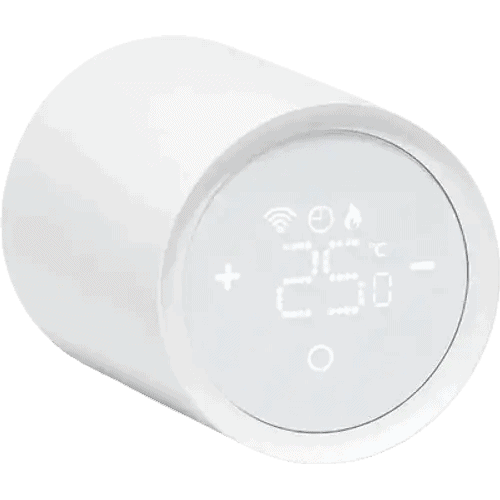
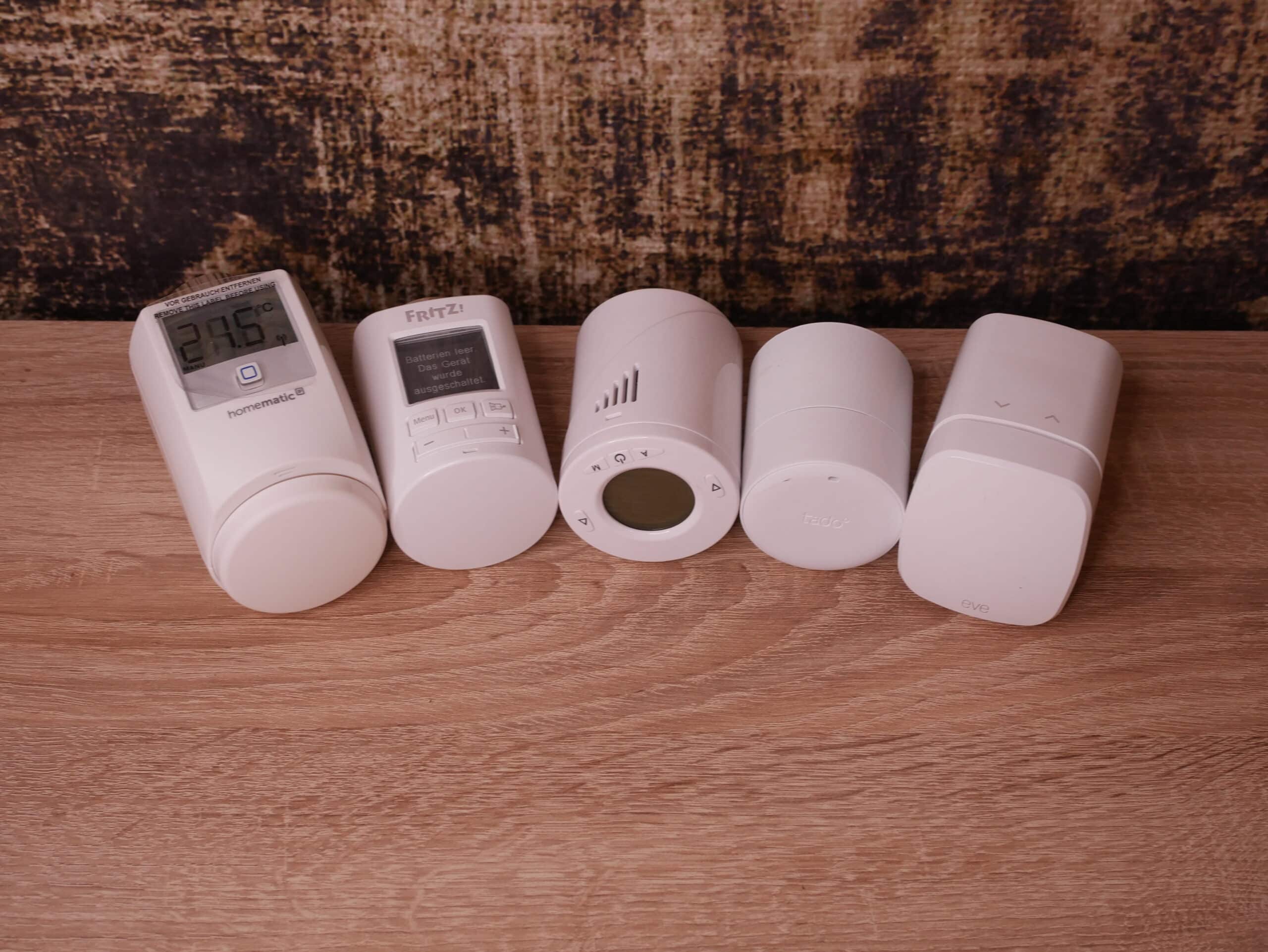
The heating season is in full swing, and plenty of people are thinking about finally making their radiators smart. The first thing you notice on the shelf is the price tag of the thermostat itself. But for everyday use and the total cost, two other questions matter more: Which wireless standard does the thermostat use – and do you need a separate hub for it? That is exactly what this guide sorts out, including a cost comparison for five radiators.
Why the wireless standard matters more than the spec sheet
A radiator thermostat runs on batteries and should last as long as possible on a set. That is why most manufacturers use low-power wireless standards instead of Wi-Fi.
This has two consequences. The thermostat often does not talk to your router directly, but to a hub or bridge. And which hub you need depends on the wireless standard. If you only look at open-window detection and the app before buying, you may end up buying a hub on top later.
The wireless standards at a glance
Matter over Thread
Matter is the common “language” for smart home devices, and Thread is the low-power wireless network underneath. Thread devices need a Thread border router that connects the Thread network to your home network.
You may already have one: typical border routers are the HomePod mini, HomePod (2nd generation), Apple TV 4K with Thread, Echo (4th generation) or Nest Hub (2nd generation). In that case, the thermostat works without an extra hub. Examples are Eve Thermo, tado° X, the Meross MTS155 and IKEA’s new LILJEBAGGE.
One catch: not every thermostat works with every border router. tado°, for example, currently only supports third-party border routers from Apple Home and Google Home. How border routers work is explained in our guide Thread border router explained, and the difference between Matter over Wi-Fi and Thread in Matter over Wi-Fi vs Thread.
Zigbee
Zigbee has been the go-to standard for affordable sensors and thermostats for years. You need a Zigbee coordinator: the manufacturer’s hub, a USB stick for Home Assistant or a gateway included in a starter set.
If you already run a Zigbee network, this is where you get the most affordable thermostats, such as the Sonoff TRVZB or the Aqara E1. The Aqara W600 can use either Thread or Zigbee.
DECT ULE
If you have a FRITZ!Box with a DECT base station, FRITZ!Smart thermostats need no other hub. The radio link runs entirely locally via the router. It is the most convenient option if a FRITZ!Box is already in your home.
Proprietary systems
Homematic IP (868 MHz) and Netatmo are closed systems. Homematic IP needs its Access Point, the Home Control Unit or a CCU3. Netatmo needs its own base station: in the new ORIGINAL range, that is the Thermo Hub, which also bridges the devices to Matter.
In return, you get a mature all-in-one solution. With Homematic IP, local control without the cloud is also possible via the Home Control Unit or the CCU3.
Bluetooth and Wi-Fi
Simple models use Bluetooth or Wi-Fi. That saves the hub, but Wi-Fi in particular is harder on the batteries. The OSRAM SMART+ WiFi Radiator Thermostat Gen2 connects straight to your router, for example.
SwitchBot takes a middle road: its thermostat uses Bluetooth, so app control works without a hub. For remote access, Matter and integrations, you add a SwitchBot hub. You can find our experience in the SwitchBot radiator thermostat review.
Do you need a smart radiator thermostat hub?
| System | Wireless | Hub required? |
|---|---|---|
| Eve Thermo | Matter over Thread | No own hub, but a Thread border router |
| tado° X | Matter over Thread | Bridge X (included in starter kits) or a supported Thread border router from Apple Home or Google Home |
| Meross MTS155 | Matter over Thread | No own hub, but a Thread border router |
| Hama radiator thermostat | Matter over Thread | According to Hama, only with the Hama Smart Home Hub |
| Bosch Radiator Thermostat II [+M] | Matter over Thread or Zigbee | Basic functions via Matter without a Bosch hub, full features with the Smart Home Controller II |
| Aqara W600 | Thread (Matter) or Zigbee | Thread border router or Aqara hub; according to Aqara, features such as local schedules in the Aqara Home app need Zigbee mode |
| Sonoff TRVZB | Zigbee | Zigbee coordinator |
| FRITZ!Smart Thermo 302 | DECT ULE | FRITZ!Box with DECT base station |
| Homematic IP | 868 MHz | Access Point, Home Control Unit or CCU3 |
| Netatmo | proprietary (ORIGINAL range: via Thermo Hub) | Netatmo base station; the Thermo Hub also adds Matter |
| SwitchBot | Bluetooth | App without a hub; hub for remote access, Matter and integrations |
The rule of thumb: Thread needs a border router, Zigbee a coordinator, DECT a FRITZ!Box, and the proprietary systems their own hub. Matter makes it easier to add thermostats to Apple Home, Alexa and Google Home, but the full feature set is often only available in the manufacturer’s app.
What does it cost? Example: five radiators
The table below shows what you need to equip five radiators and how the systems compare on cost. The ranking is based on the list prices of the sets and single units in Europe; actual prices, bundles and offers vary by market and over time. Current prices are shown in the product boxes below, and you can find current offers on our Smart home deals of the week page.
| System | What you buy for five radiators | Cost level |
|---|---|---|
| Homematic IP | Set with Access Point and 5 thermostats | lower |
| Aqara W600 | Starter set with hub and 3 thermostats + 2-pack | lower |
| tado° X | 4-thermostat starter kit with Bridge X + 1 thermostat | lower to mid-range |
| Meross MTS155 | 3-pack + 2 single units (border router required) | mid-range |
| Eve Thermo | 4-pack + 1 single unit (border router required) | mid-range |
| Bosch Radiator Thermostat II [+M] | 5-thermostat starter set | mid-range |
| FRITZ!Smart Thermo 302 | 3-pack + 2 single units (FRITZ!Box required) | upper mid-range |
| Netatmo | Starter set with base station + additional valves | highest |
Running costs and savings
On top of that come batteries, which you have to replace regularly. With tado°, extra features such as AI Assist are available as an optional subscription. Bosch also offers an optional Home+ subscription that adds features such as demand-driven heating; the basic functions work without it.
Homematic IP, Eve and Meross work without a subscription. On the plus side are lower heating bills: the UK’s Energy Saving Trust says that installing and using heating controls such as thermostatic radiator valves effectively can noticeably cut your heating bills. If you already heat sparingly, it takes longer for the purchase to pay off. Thermostats bring the most benefit in rooms you use a lot.
Which solution suits whom?
You already have a Thread border router
Then the Matter over Thread models without an extra hub are the leanest solution, for example the Meross MTS155.


Last updated on 2026-11-20 / affiliate links / images from the Amazon Product Advertising API. Prices shown may have changed since then. All information without guarantee. * = affiliate link: if you order a product through such a link, we receive a commission from the seller. There are no extra costs for you.
If you want the system with the widest range of accessories and a mature app, take a look at tado° X.

Last updated on 2026-11-22 / affiliate links / images from the Amazon Product Advertising API. Prices shown may have changed since then. All information without guarantee. * = affiliate link: if you order a product through such a link, we receive a commission from the seller. There are no extra costs for you.
You have a FRITZ!Box
Then the FRITZ!Smart Thermo 302 is the simplest option: no extra hub, everything runs locally via the router.
You want to stay local and independent
Homematic IP runs locally via the Home Control Unit or the CCU3. If you use Home Assistant, Zigbee thermostats such as the Sonoff TRVZB are the most affordable way in, but you need a Zigbee coordinator.

Last updated on 2026-11-22 / affiliate links / images from the Amazon Product Advertising API. Prices shown may have changed since then. All information without guarantee. * = affiliate link: if you order a product through such a link, we receive a commission from the seller. There are no extra costs for you.
You already use Bosch Smart Home
With the Smart Home Controller II, you get the full feature set from the Bosch thermostats. Without the controller, they also work directly in Matter systems with basic functions.

Last updated on 2026-11-22 / affiliate links / images from the Amazon Product Advertising API. Prices shown may have changed since then. All information without guarantee. * = affiliate link: if you order a product through such a link, we receive a commission from the seller. There are no extra costs for you.
You want to start without a hub
The SwitchBot thermostat works via the app over Bluetooth without a hub. The Panel Matter Combo adds the Home Climate Panel for control on the wall; for remote access and Matter, you need a SwitchBot hub.

Last updated on 2026-11-20 / affiliate links / images from the Amazon Product Advertising API. Prices shown may have changed since then. All information without guarantee. * = affiliate link: if you order a product through such a link, we receive a commission from the seller. There are no extra costs for you.
You can find a larger comparison with more models in our guide The best smart radiator thermostats tested.
Conclusion
There is no single winner for everyone, but there is a clear way to decide: first check what you already have at home. With a Thread border router, the Matter models are the cheapest route; with a FRITZ!Box, the FRITZ! thermostats; with a Zigbee network, the Zigbee devices.
Only if none of these is in place is it worth looking at a complete starter set with a hub – and then a set from Homematic IP, tado° or Bosch often makes sense. For five radiators, Homematic IP, Aqara and tado° tend to be at the lower end of the cost range, and Netatmo at the top.
Disclaimer: All product names, logos and brands mentioned in this article are the property of their respective owners and are used for description and information purposes only. All information is based on official manufacturer details and publicly available sources at the time of publication. Prices may vary. No guarantee is given for the accuracy, timeliness or completeness of the information.
Related: Smart radiator thermostats compared · SwitchBot radiator thermostat review · OSRAM SMART+ WiFi Radiator Thermostat Gen2
Related products in our product overview
 Eve Motionblinds Upgrade Kit (Matter) for small tubes – retrofit motor for indoor roller blinds (25–30 mm) with battery and ThreadSpecs & where to buy →
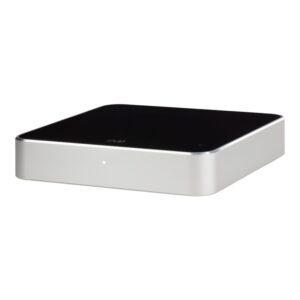 Eve Play – AirPlay audio streaming adapter for hi-fi systems with Wi-Fi, Ethernet and Apple HomeSpecs & where to buy →
 Eve Outdoor Cam – floodlight camera with HomeKit Secure VideoSpecs & where to buy →