Almost every new smart home device carries the same Matter logo on its packaging. Whether the device communicates over Wi-Fi or over Thread, however, is often only mentioned in the fine print. Yet that is exactly what decides whether you need extra hardware, how reliably the device runs and whether a battery lasts long. This article explains the differences and helps you choose.
Matter is the language, Wi-Fi and Thread are the road
Matter defines which functions a device has, such as on and off, dimming or measuring temperature, and how devices from different manufacturers understand each other. How the data is transported is a separate layer. Matter supports three options: Ethernet, Wi-Fi and the radio protocol Thread. “Matter over Thread” simply means that Matter communication runs over a Thread radio network.
The differences at a glance
| Matter over Wi-Fi | Matter over Thread | |
|---|---|---|
| Radio | Wi-Fi, most devices only on the 2.4 GHz band | IEEE 802.15.4 on the 2.4 GHz band, IPv6 |
| Network structure | Devices connect directly to the router or mesh Wi-Fi | Self-healing mesh, devices relay data for each other |
| Extra hardware | Matter controller, no border router needed | Matter controller and Thread border router |
| Power consumption | Higher, usually unsuitable for battery devices | Very low, ideal for battery devices |
| Data rate | High, also suitable for cameras and displays | Low, designed for small data packets |
| Load on your home network | Every device takes up a Wi-Fi slot | Separate radio network, relieves your Wi-Fi |
| Typical devices | Plugs, light strings, bulbs, cameras | Sensors, buttons, thermostats, plugs |
Matter over Wi-Fi: the easy start
Wi-Fi devices do not need a border router. You connect them to your Wi-Fi and add them to your smart home via a Matter controller such as HomePod mini, Apple TV, Echo or Nest Hub. That is ideal if you want to get started quickly without extra hardware. Examples are the SwitchBot Permanent Outdoor Lights (German article), which work without a SwitchBot hub, or the Nanoleaf Essentials Holiday String Lights, which use Matter over Wi-Fi and Bluetooth.
The downside: Wi-Fi was built for high data throughput, not energy efficiency. A Wi-Fi module would drain battery sensors quickly. In addition, devices on Wi-Fi compete with smartphones, webcams, smart TVs and computers, and every additional device puts more load on the radio channel.

Letzte Aktualisierung am 2026-11-12 / Affiliate Links / Bilder von der Amazon Product Advertising API Wir weisen darauf hin, dass sich hier angezeigte Preise inzwischen geändert haben können. Alle Angaben ohne Gewähr. * = Werbelink: Wenn du über einen solchen Link ein Produkt bestellst, bekommen wir dafür eine Provision vom Verkäufer. Für dich entstehen selbstverständlich keine zusätzlichen Kosten
Matter over Thread: energy-efficient and robust
Thread was developed for exactly this requirement: connecting many small, often battery-powered devices reliably and with little energy. The devices form a self-healing mesh. If a node drops out, the network finds new paths. Mains-powered Thread devices such as plugs even strengthen the mesh because they pass on data packets for others. That makes Thread more robust than systems in which every device has to talk directly to a central hub.
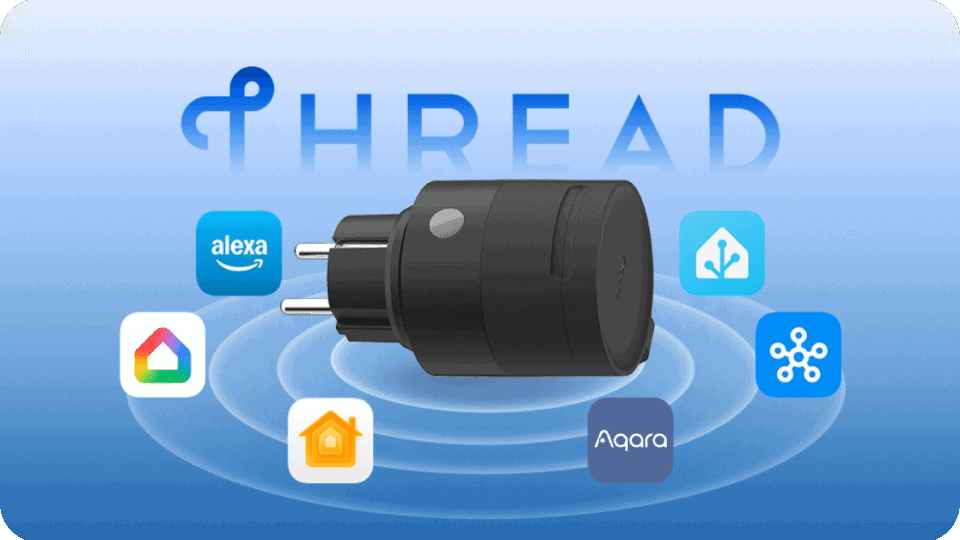
The price: you need a Thread border router (explained in German) that connects the mesh to your home network. It is built into many devices, such as the HomePod mini, Echo speakers, Nest Hubs and IKEA’s Dirigera. Examples of Thread devices are the Aqara Power Plug H2 EU, which can optionally run over Zigbee as well, or IKEA’s inexpensive GRILLPLATS Matter plug.

- 【Matter,Thread & Zigbee – maximale Kompatibilität...
Letzte Aktualisierung am 2026-11-14 / Affiliate Links / Bilder von der Amazon Product Advertising API Wir weisen darauf hin, dass sich hier angezeigte Preise inzwischen geändert haben können. Alle Angaben ohne Gewähr. * = Werbelink: Wenn du über einen solchen Link ein Produkt bestellst, bekommen wir dafür eine Provision vom Verkäufer. Für dich entstehen selbstverständlich keine zusätzlichen Kosten
Which choice suits which device?
- Battery-powered sensors and buttons: Thread. Wi-Fi uses too much power for them.
- Mains-powered plugs and lamps: both work. Thread relieves your Wi-Fi and strengthens the mesh, Wi-Fi saves you the border router.
- Cameras, displays and devices with a lot of traffic: Wi-Fi or Ethernet, because Thread is meant for small amounts of data.
- You already have a HomePod mini, Echo or Nest Hub: Thread is usually possible at no extra cost.
- You do not want to buy anything extra and have no border router: Start with Wi-Fi devices and add Thread later.
What to check before buying
- Look up the radio type: The Matter logo always looks the same. Some manufacturers such as IKEA do not even print a Thread notice on the packaging. Check the manufacturer’s product page.
- Check your border router: Older devices are sometimes described as Matter-capable but do not support Thread. In that case you can only add Wi-Fi or Ethernet products.
- Test Wi-Fi where the device will be used: Especially in the garden or in outbuildings, Thread helps if Wi-Fi is weak there and a Thread router is within range.
- Stay within one ecosystem: Mixing border routers from different manufacturers risks parallel Thread networks. The easiest approach is to install devices with the app of one system and share them via multi-admin.
Conclusion
Matter over Wi-Fi is the convenient entry point for mains-powered devices, Matter over Thread the stronger choice for sensors, buttons and a dense, stable smart home mesh. In the end, what counts is which devices you run and whether you already own a border router. Check the radio type before buying, and plan for a border router if you choose Thread.
Disclaimer: All product names, logos and brands mentioned in this article are the property of their respective manufacturers and are used for description and information purposes only. All information is based on official press releases and publicly available sources at the time of publication. No guarantee is given for the accuracy, timeliness or completeness of the information.