Without an extra layer, KNX telegrams travel unencrypted over the bus and the network. That is why KNX Secure has existed since 2015. According to the KNX Association, it protects communication against unauthorised access and manipulation. It is made up of two parts: KNX IP Secure and KNX Data Secure.
This article explains what each of them protects, how commissioning with device certificates and a project password works, what you absolutely need to keep, and whether KNX Secure is mandatory. It is based on documents from the KNX Association, documentation from Gira, JUNG, MDT, ABB, Hager, Weinzierl and Zennio, the Home Assistant docs and the EU texts on the Cyber Resilience Act, as of 23 November 2026. The KNX basics are covered in KNX explained.
In short
- KNX IP Secure secures KNX communication on the IP network, i.e. between IP routers, interfaces and ETS.
- KNX Data Secure secures individual telegrams between secure devices on any KNX medium (cable, radio, IP). It is set per group address.
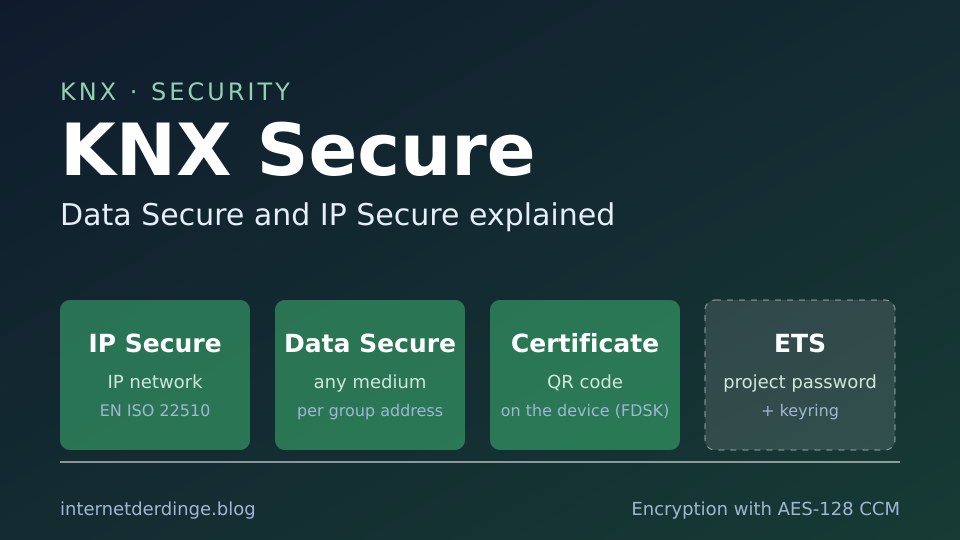
- Both can be combined. According to the KNX Association, encryption uses AES-128 CCM.
- For commissioning, every device needs its device certificate (QR code on the device), and the ETS project needs a project password.
- If the project password is lost, not even the KNX Association can help. The devices then have to be reset and programmed again.
- Secure and standard devices run in the same installation. You can upgrade step by step.
- Neither the KNX Association nor the EU names an obligation for homeowners to switch Secure on. The Cyber Resilience Act mainly places obligations on manufacturers.
The two parts compared
| KNX IP Secure | KNX Data Secure | |
|---|---|---|
| What is protected? | KNX communication on the IP network (routing and tunnelling) | individual telegrams between secure devices |
| Medium | KNX IP only | any KNX medium (TP, RF, IP) |
| Keys | backbone key for routing, a password per tunnel | a separate key per secured group address |
| Setting | on the IP router or IP interface | per group address (on, off, automatic) |
| Standard | EN ISO 22510 (since late 2019) | EN 50090-3-4 (since 2018, according to KNX Australia) |
According to a press release from the KNX Association dated 25 February 2020, KNX IP Secure is standardised as EN ISO 22510. The standard was published at the end of November 2019. The algorithms follow ISO 18033-3, and encryption uses AES-128 CCM. The standard for Data Secure is named by the Australian national KNX group.
How KNX Data Secure protects a telegram
Data Secure works end to end between devices. According to the KNX Help Center, four things are then active: freshness, data integrity, authentication and encryption. Anyone without the keys can no longer read the content.
According to Gira’s system documentation, the command and the payload are encrypted. The header, source and destination address are only signed and stay readable. The benefit: line, area and media couplers do not have to decrypt anything to forward a telegram.
A 6-byte sequence number protects against replaying recorded telegrams (replay attacks). According to Gira, the receiver discards any telegram whose number is not higher than the last one it saw. Every secure telegram also carries a Message Authentication Code (MAC) that the receiver uses to check that it is genuine.
How KNX IP Secure works
IP Secure adds authentication, data integrity, freshness and encryption to KNX communication on the IP network. With routing, all IP Secure devices share one key, the backbone key. With tunnelling, for example when ETS or Home Assistant connects through an interface, each tunnel gets its own password. On top of that there is a commissioning password and an authentication code for the device itself.
Important: IP Secure only protects the IP medium. According to the KNX Help Center, telegrams on the cable lines behind it stay unencrypted. If you want protection there as well, you also need Data Secure.
The KNX Association recommends IP Secure for the part of the installation that borders an external IP network such as the internet, usually the backbone line. According to the KNX Help Center, Data Secure on its own should only be used for parts that are not exposed. At the same time, the KNX Association stresses in an article from 21 September 2026 that IP Secure does not replace a clean network with a firewall and secure remote access.
Commissioning: certificate, project password, keys
Every secure device ships with its own key, the FDSK (Factory Default Setup Key). According to the KNX Association, it is unique and cannot be changed or deleted. ETS only gets it through the device certificate, a code made up of the serial number and the FDSK. It sits on the device as a label with a QR code.
According to the KNX Association, the process in ETS looks like this:
- Set a project password. Projects with KNX Secure always need one, otherwise all keys in the exported project would be readable.
- Add the certificate. By camera (QR code) or by typing or pasting the code.
- Set the secure mode and choose the group addresses that should be secured.
- Commission. During the first secure download, ETS replaces the FDSK with its own key (tool key). Nobody sees or changes it by hand.
After that, a securely programmed device cannot simply be reprogrammed from another ETS or another project. According to ABB and Zennio, this only works with the original project or after a factory reset.
What you absolutely need to keep
With KNX Secure, three things matter a lot. If they get lost, things get complicated:
- The certificate labels. Gira and JUNG require them to be removed during installation and stored safely. MDT provides a field in its manual for the sticker. Without the certificate, according to Gira, no other ETS project can securely commission the device any more.
- The project password. According to the KNX Association, it cannot reset it, and there is no master key. If it is gone, Gira says the only option is to re-engineer the installation and reset the devices with a master reset.
- The ETS project with its keyring. ETS exports all keys as a keyring file (
.knxkeys), protected with its own password. According to ABB, it contains the keys of all group addresses, the devices’ tool keys and the tunnel passwords.
According to Gira, a master reset deletes all settings and keys, sets the individual address to 15.15.255 and makes the FDSK valid again. How to trigger it differs by manufacturer. On Zennio devices you hold the programming button for 10 seconds, on JUNG devices you press it while connecting the device and then press it again.
If you take over an installation from an electrician, you should therefore ask not only for the project file but also for the project password, keyring and certificates. ABB explicitly advises installers to hand over all security data together with the other project data. What else belongs in the handover is covered in Planning KNX in a new build.
Mixed installations and upgrading
An installation does not have to be secured all at once. Data Secure is set per group address, as the KNX Association points out in an article from 26 October 2026. A device can communicate secured and unsecured at the same time. A single group address, however, is either secured or not.
According to Gira, secure-capable devices can also run unsecured, for example as a replacement for a faulty actuator in an older installation. Some manufacturers, though, enforce Secure for certain objects. Those cannot be linked to an unsecured group address.
If a secured device needs to talk to an older, unsecured one, a coupler with a Secure Proxy (also called Segment Proxy) helps. It connects both worlds for the same group address. ETS has supported this since version 6.0.0 from 28 September 2021. According to ABB, a Secure Proxy does not translate point-to-point communication, and it is always built into a coupler.
One point that is easy to miss when upgrading: encrypted telegrams are longer. The interface and all couplers on the way to the device must therefore support long telegrams (extended frames, up to 263 bytes according to ABB). Otherwise, according to Gira, ETS aborts secure commissioning with an error. Older couplers may then have to be replaced.
Which ETS do I need?
The first ETS with KNX Secure was ETS 5.5.0 from 12 April 2016. Manufacturers now recommend newer versions: Gira at least ETS 5.7.4 or ETS6, ABB ETS6. MDT lists ETS 5.7.2 for its IP router, and with ETS4 it only runs without Secure.
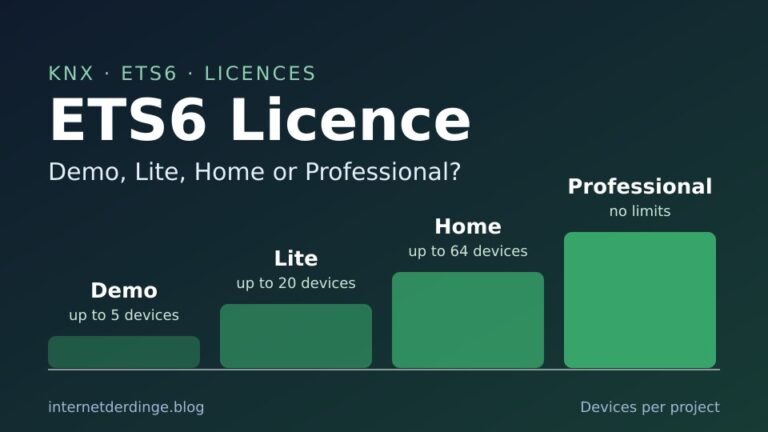
In its licence description, the KNX Association only distinguishes the ETS6 editions by the number of projects and devices. It does not say explicitly whether Lite and Home support KNX Secure without restrictions. More on the editions in ETS6 licences explained.
KNX Secure with Home Assistant
According to its docs, the Home Assistant KNX integration supports IP Secure and Data Secure. For Data Secure, the keys always come from the .knxkeys file exported from ETS. IP Secure can also be set up by hand if Data Secure is not involved: for tunnelling with a user ID (2 or higher), the tunnel password and optionally the authentication code, for routing with the backbone key from the ETS “Project Security” report.
If secured group addresses change later, the docs say all participating devices, routers and couplers must be updated and the keyring file imported into Home Assistant again. The detailed steps are in Connecting KNX to Home Assistant.
What else the KNX Association recommends
Encryption is only one part. In its article on the IP side, the KNX Association names three layers that work together:
- A VPN for remote access instead of port forwarding. The KNX port 3671 should never be forwarded to the internet on your router.
- A separate network: keep building automation apart from the rest of the home network with a VLAN.
- IP Secure for the KNX communication itself.
With the free KNX Security Check you can test whether a KNX installation can be reached from the internet at your IP address. According to the KNX Association, simple measures help too: lock distribution boards, run bus cables where nobody can reach them, and protect devices against being unscrewed. Gira advises running devices in unprotected areas such as outdoors or in an underground car park as a separate line.
Is KNX Secure mandatory?
An obligation for homeowners or operators to switch on KNX Secure in their own home cannot be found in the documents of the KNX Association or the European Commission. Whether Secure is used is decided in the ETS project. Zennio states that activating it is optional.
It is different for manufacturers. The EU Cyber Resilience Act (Regulation (EU) 2024/2847) applies to products with digital elements on the EU market. According to the European Commission, its main obligations are aimed at manufacturers. According to the regulation text, it applies from 11 December 2027, and manufacturers’ reporting obligations (Article 14) already apply from 11 September 2026.
In its article on the Cyber Resilience Act, the KNX Association writes that Data Secure and IP Secure are not optional extensions but an integral part of the KNX standard. That does not contradict Zennio: the standard includes Secure, and it is switched on in the project.
Is KNX Secure worth it?
Secure helps most wherever outsiders could get at the communication. According to the KNX Association, that is mainly the IP side as soon as it borders another network. The KNX Association also recommends KNX Secure for wireless installations. For wired KNX, Gira names devices in unprotected areas such as outdoors or in an underground car park as a case for a separate line.
The price is more care: certificates, project password and keyring need to be documented properly, and older couplers can get in the way. According to Gira, Data Secure has no effect on the response time of the devices. Individual devices do have their own limits, though: according to the datasheet, JUNG’s IP routers handle at most 48 telegrams per second in IP Secure mode.
Examples of devices with KNX Secure
Almost all major manufacturers offer IP routers and interfaces with Secure. A few examples, according to the manufacturers:
| Manufacturer | Device | Secure according to the manufacturer |
|---|---|---|
| Gira | KNX IP router v4 “Secure” | IP Secure, a password per tunnel, Secure can be added to older routers from index I14 |
| Gira | DIN-rail switch actuators, 2 to 24 channels | Data Secure |
| JUNG | IPS 300 SREG / IPR 300 SREG | IP Secure and Data Secure, up to 8 tunnels |
| MDT | IP router SCN-IP100.03 | IP Secure and Data Secure from ETS 5.7.2 |
| ABB | IP router Secure IPR/S 3.5.1 | KNXnet/IP Security, 5 tunnels |
| Hager | KNX IP interface secure TYFS120 | IP Secure and Data Secure, up to 8 tunnels |
| Weinzierl | KNX IP Router 752 secure | couples an unsecured TP line with a secure IP backbone |
| Zennio | KIPI SC | KNX IP interface with KNX Secure |
The Hager TYFS120 interface is available on Amazon, sold and shipped by Amazon. On Amazon Germany it currently only ships after several months (as of 23 November 2026):


Last updated on 2026-11-23 / affiliate links / images from the Amazon Product Advertising API. Prices shown may have changed since then. All information without guarantee. * = affiliate link: if you order a product through such a link, we receive a commission from the seller. There are no extra costs for you.
According to Hager’s documentation, it supports KNX IP Secure and Data Secure and allows up to 8 tunnel connections at the same time. The certificate is printed on the device as text and as a QR code.
Limits of KNX Secure
- Without the keys, secure telegrams cannot be read. This also applies to analysis tools without access to the project.
- Without the original project, a securely programmed device can only be reprogrammed after a master reset, and its configuration is then gone.
- According to Zennio, if you change the individual address of a secure device, all devices sharing group addresses with it must be reprogrammed.
- According to ABB, a new project password only applies to your own copy of the project. Anyone with an older copy can still reach the keys with the old password.
- The project password cannot be removed as long as secure devices or certificates are in the project.
FAQ
Is KNX Secure mandatory?
Not for homeowners. Neither the KNX Association nor the EU names such an obligation. The Cyber Resilience Act places obligations on manufacturers, in full from 11 December 2027.
Is KNX Secure worth it?
Mainly for the IP side, for wireless and for devices in freely accessible areas. The condition is that certificates, project password and keyring are stored properly.
Can I add KNX Secure later?
Yes, step by step. Data Secure is set per group address, and older devices stay unsecured. The interface and couplers on the way must support long telegrams.
What happens if the project password is lost?
The KNX Association cannot reset it. The installation has to be re-engineered, and the devices are reset with a master reset and commissioned again.
Do I need ETS for KNX Secure?
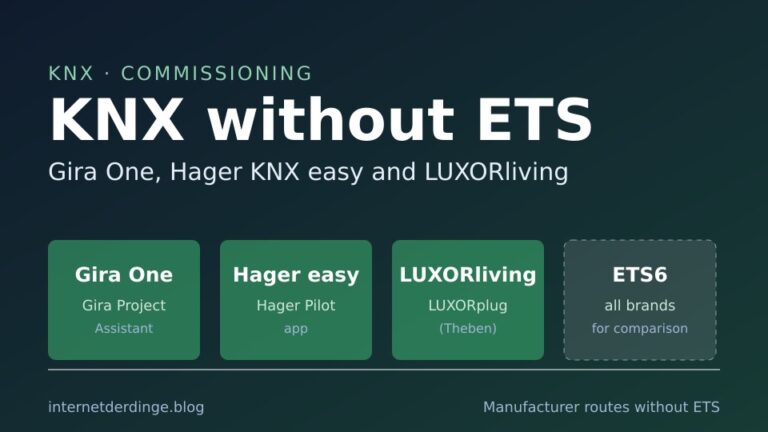
Usually yes, because ETS manages certificates and keys. Manufacturer systems are the exception: according to Gira, Gira One uses Data Secure between devices and server and is set up without ETS. More in KNX without ETS.
All articles on KNX and Loxone are in the KNX & Loxone section.